Remove an app and the files that came with it.
Disk Census finds an app’s caches, settings and support files. Anything it can’t tie to the app for sure is left unticked.
How it works
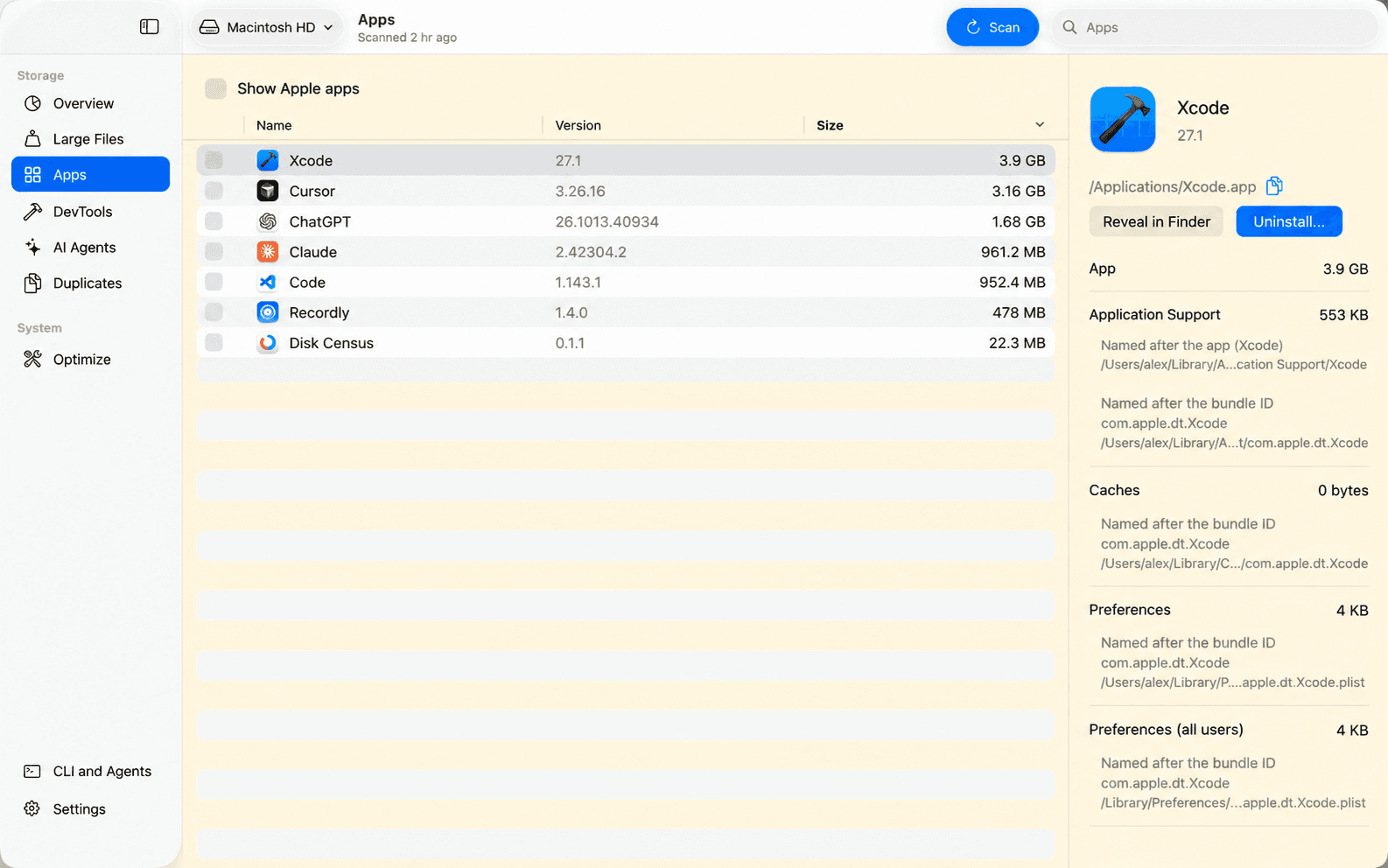
Every app, with its real size.
Each app is listed with its version and its total size, data included. Search, sort, and show or hide Apple’s apps.
See where its data lives.
Select an app to see its caches, preferences, containers and support files, and how sure Disk Census is that each one belongs to it.
Uninstall one, or several.
A sheet lists every item before anything goes. The app’s own data is ticked; shared and loosely matched items are not.
Good to know
- A running app is asked to quit. Nothing is force-quit.
- Apple’s own apps are never offered for removal.
- Apps you already deleted are under Leftovers, in the same view.
More features
- InstalledLeftovers
- com.microsoft.teams2Last changed 5 months ago~/Library/Containers/com.microsoft.teams22.05 GB
- com.bohemiancoding.sketch3Last changed 11 months ago~/Library/Application Support/com.bohemiancoding.sketch3780.3 MB
- org.swift.swiftpmNo sign an app used it; it may belong to a command-line tool~/Library/Caches/org.swift.swiftpm188 KB
Clear out what deleted apps left behind.
The caches and settings of apps you already deleted, found and grouped by app.
Large Files
Larger than 1 GB- llama-3.1-8b-instruct-q4_K_M.ggufmodels1 week ago4.92 GB
- Xcode_26.0.1_Apple_silicon.xipReviewDownloads1 month ago3.64 GB
- ubuntu-24.04.3-live-server-arm64.isoDownloads3 months ago3.01 GB
- Screen Recording 2026-09-12 at 16.04.11.movDesktop3 weeks ago1.86 GB
- demo-day-final-final.movMovies2 months ago1.42 GB
Find the large files you forgot about.
Your biggest files, with when you last opened each one.
Review Trash
SizeDate TrashedNameTrash4 items · 1.23 GB- old-mac-backup-2024.zip10/28/26612 MB
- Screen Recording 2026-09-14.mov10/30/26318 MB
- Figma-125.0.dmg10/21/26214 MB
- untitled folder 3Yesterday86 MB
Look through the Trash before you empty it.
Sort it by size or date. Anything you untick stays in the Trash.