Spot files you’ve saved more than once.
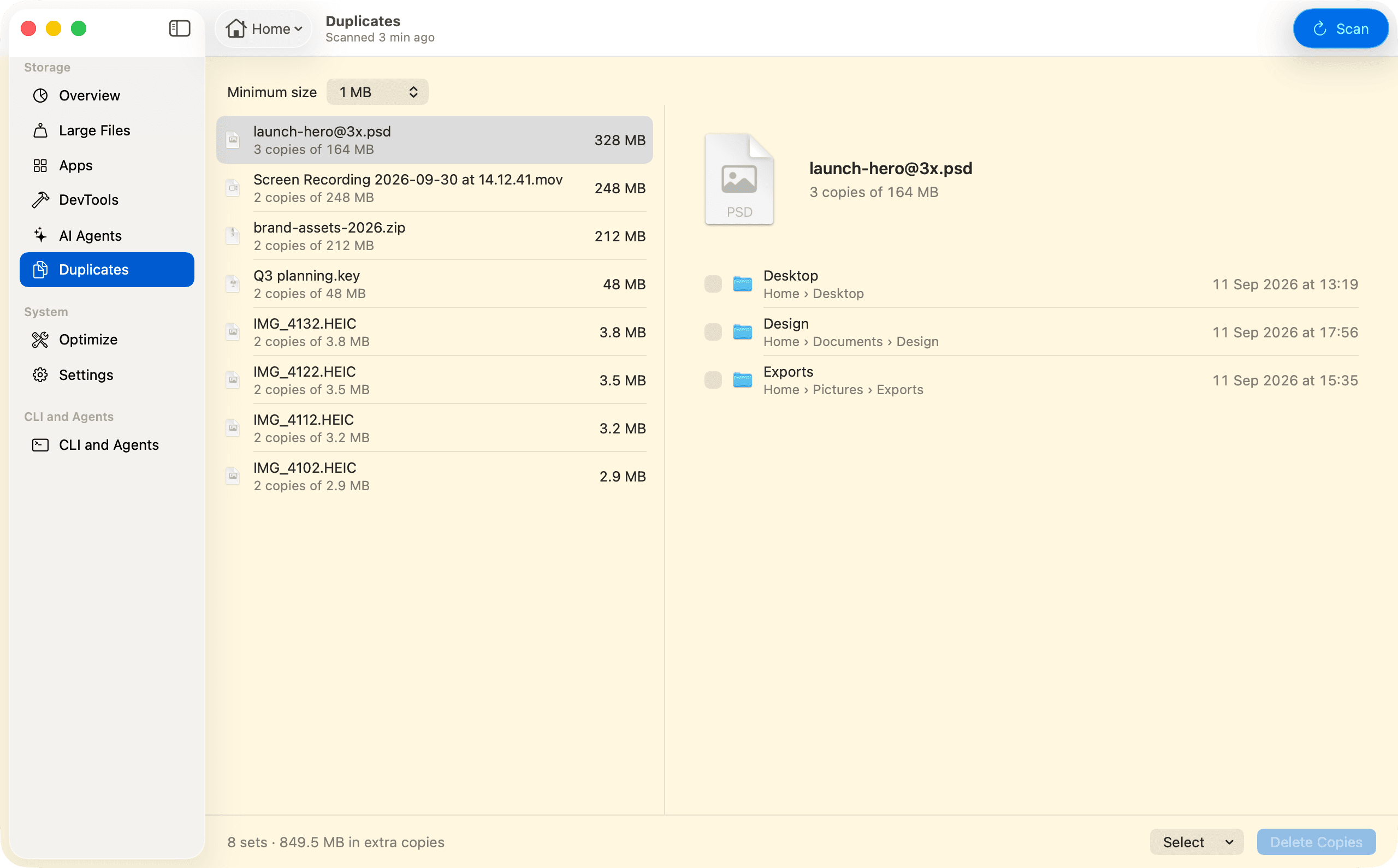
Identical files sit side by side, so you can keep the one you want. Disk Census never deletes the last copy.
How it works
Matched by what’s inside.
Files count as duplicates only when their contents match, whatever they’re called. Pick a minimum size from 10 KB to 100 MB.
Every copy, side by side.
Each set shows its copies with a thumbnail, folder and date, and how much deleting the extras frees.
Keep the newest or the oldest.
Quick picks keep the newest or the oldest copy and tick the rest. Change any tick before you delete.
Good to know
- The last copy of a set can never be deleted.
- APFS clones, which already share their storage, are marked, since removing them frees little.
More features
Large Files
Larger than 1 GB- llama-3.1-8b-instruct-q4_K_M.ggufmodels1 week ago4.92 GB
- Xcode_26.0.1_Apple_silicon.xipReviewDownloads1 month ago3.64 GB
- ubuntu-24.04.3-live-server-arm64.isoDownloads3 months ago3.01 GB
- Screen Recording 2026-09-12 at 16.04.11.movDesktop3 weeks ago1.86 GB
- demo-day-final-final.movMovies2 months ago1.42 GB
Find the large files you forgot about.
Your biggest files, with when you last opened each one.
Review Trash
SizeDate TrashedNameTrash4 items · 1.23 GB- old-mac-backup-2024.zip10/28/26612 MB
- Screen Recording 2026-09-14.mov10/30/26318 MB
- Figma-125.0.dmg10/21/26214 MB
- untitled folder 3Yesterday86 MB
Look through the Trash before you empty it.
Sort it by size or date. Anything you untick stays in the Trash.
- Home78.1 GB
- Library39.81 GB
- Developer19.2 GB
- .claude2.53 GB
- .cargo2.5 GB
- .npm2.4 GB
Scan your whole Mac, or just one folder.
Start from the startup disk, your home folder or any folder you choose.